Marc Scibelli
Marc Scibelli

AI Lens - Revolutionizing User Interaction with Contextual AI

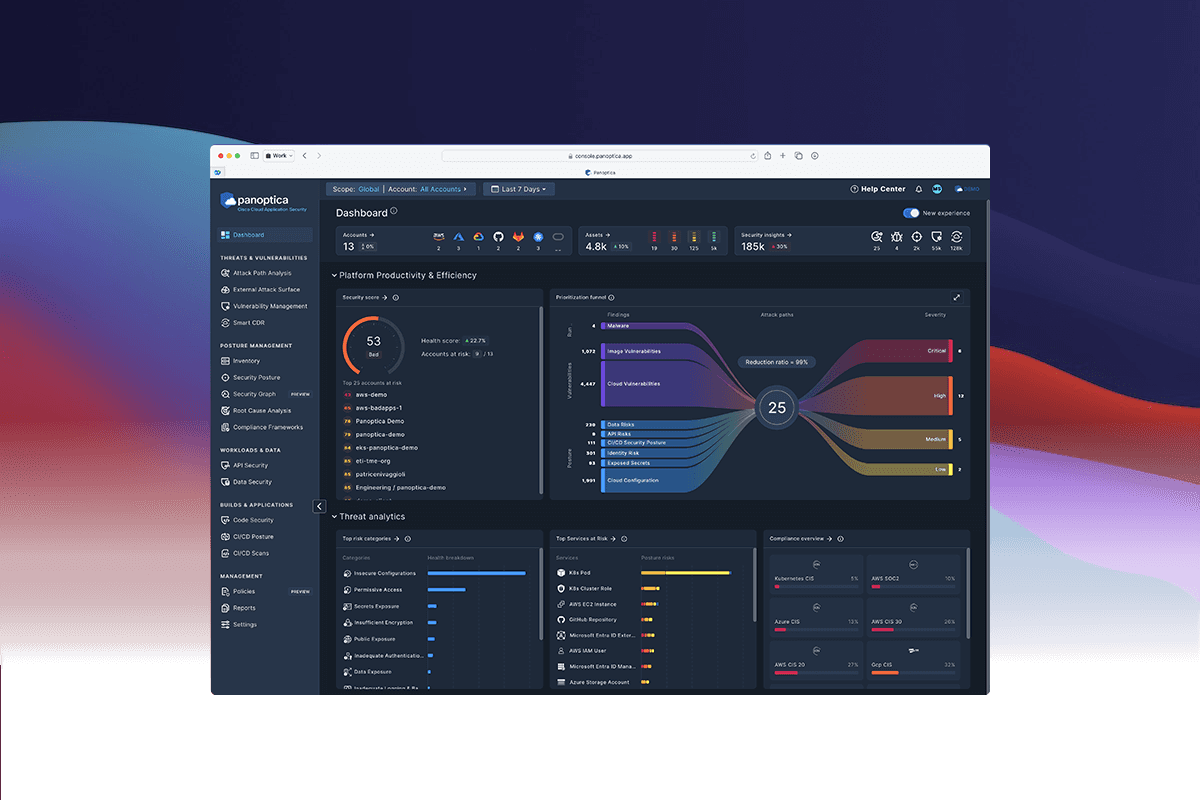
At Cisco, I created and led the development of a new AI feature called, "Lens" which provides contextual engagement with AI assistants on any UI object on screen.
About Lens

About Lens

About Lens

About Lens

AI "Lens" is a breakthrough AI feature designed to augment user interactions with any UI object visible on the screen.
It provides an AI assistant that comprehends and interacts based on the context of the screen elements, significantly enhancing user workflows and task completion rates.

In the same way humans interact by pointing and discussing, AI Lens works in the same way, giving a new relationship to how humans interact with AI assistants to discuss complex data.

Lens operates on three foundational principles.

Co-Work with Context: The AI should act like a colleague, understanding context across platforms.

Trust but Verify: Users can challenge the AI’s responses, promoting trustworthiness.

Point and Ask: Users can point to any object on the screen to interact with the AI, similar to asking a colleague questions about specific items.

Organization

Cisco

Role

Inventor, Design Lead
How do we design human-agent interfaces that are consistent, comprehensible and scalable across products?

Approach

Approach

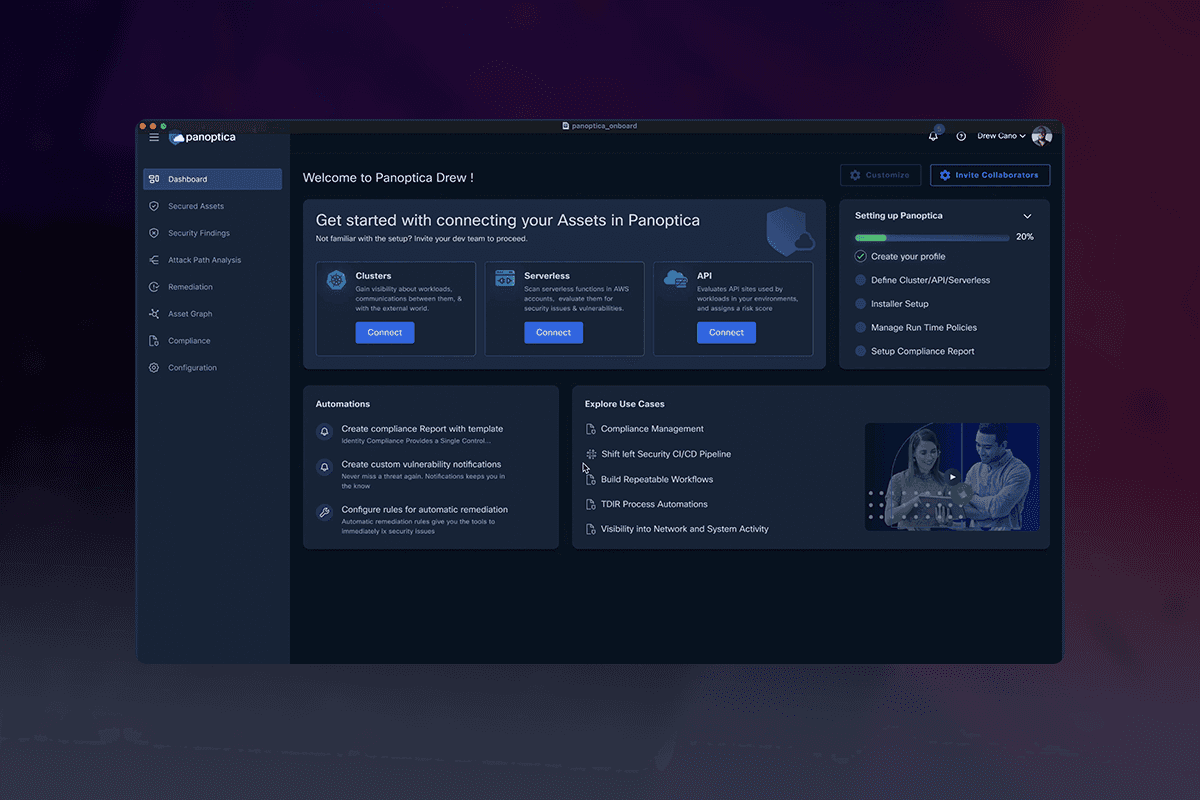
Creating Lens involved overcoming several complex hurdles. The primary challenge was to design an AI system that could accurately understand and interact with diverse UI objects across different platforms and applications.

The AI needed to provide context-aware assistance in real-time, maintain an intuitive user experience, and build user trust through verifiable interactions. Additionally, multi-selection and relational understanding between different UI objects added layers of complexity to the project.

Point. Click. Context.

Lens Select

The Lens Select tool activates a context focused AI Assistant
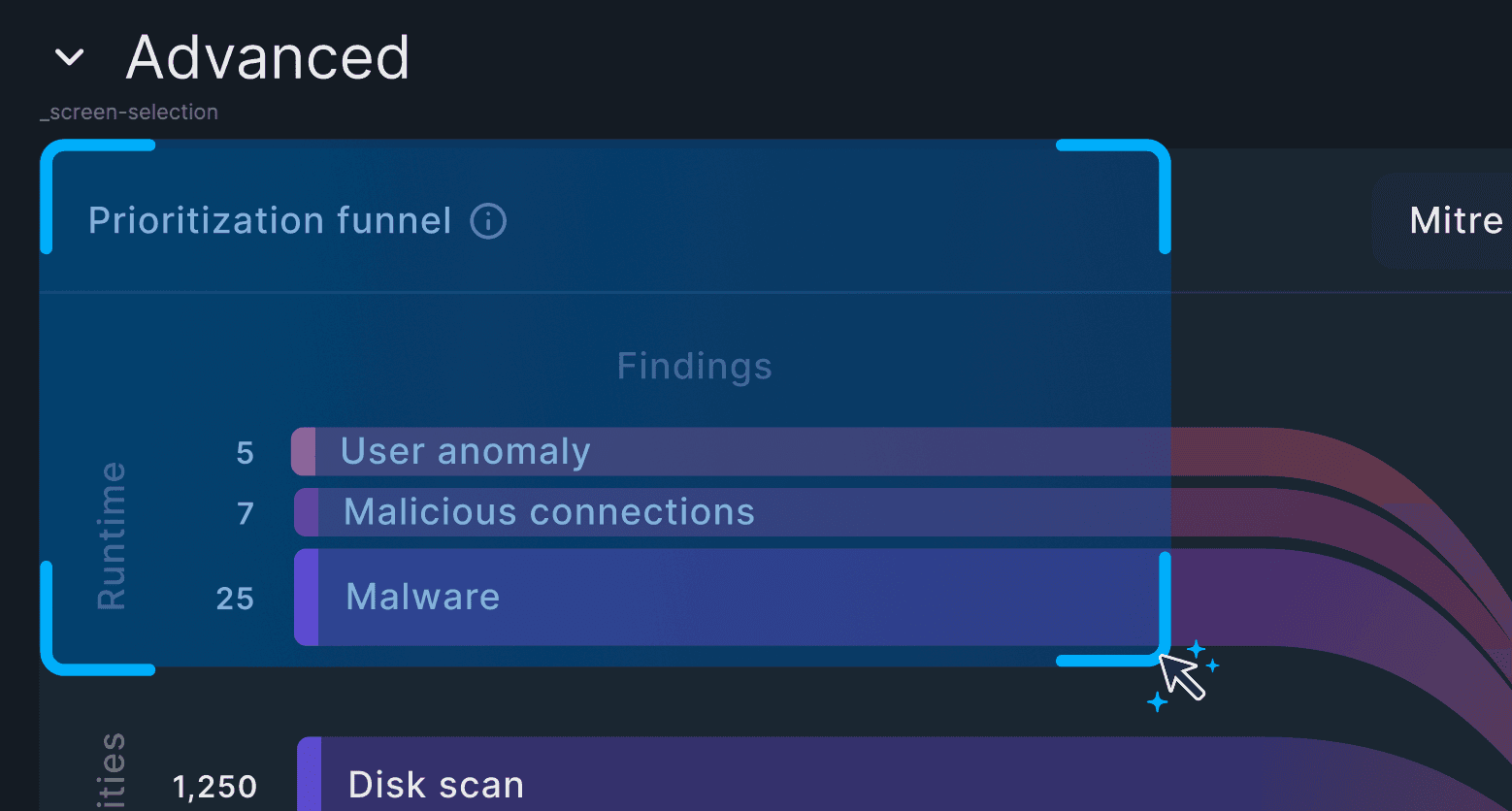
Contextual Selection

Using the select tool the user drags over any visual area of the software product to focus the AI Assistant on the object
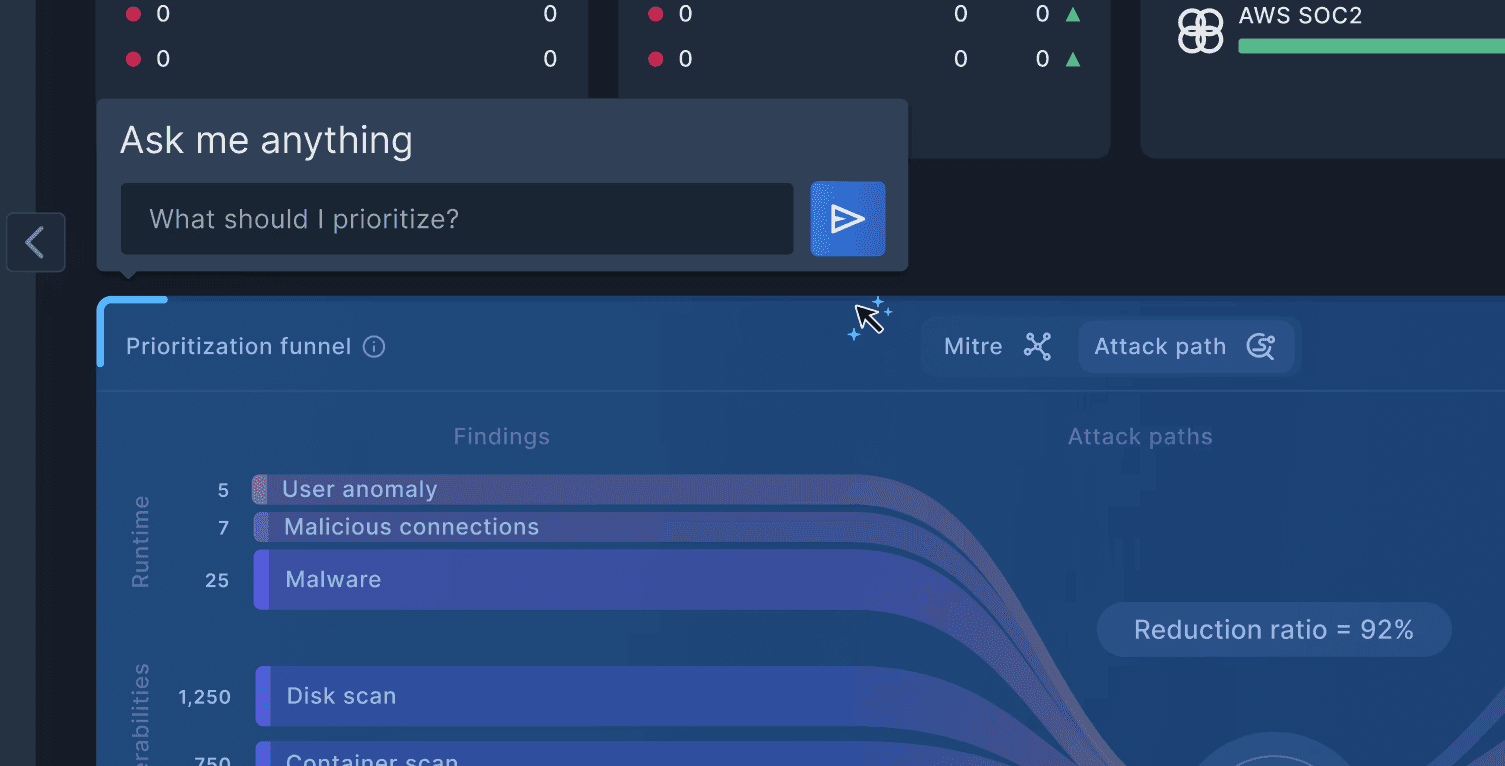
Contextual Prompt

Once an area is selected the user can ask the AI anything in reference to that object and get a contextual answer.
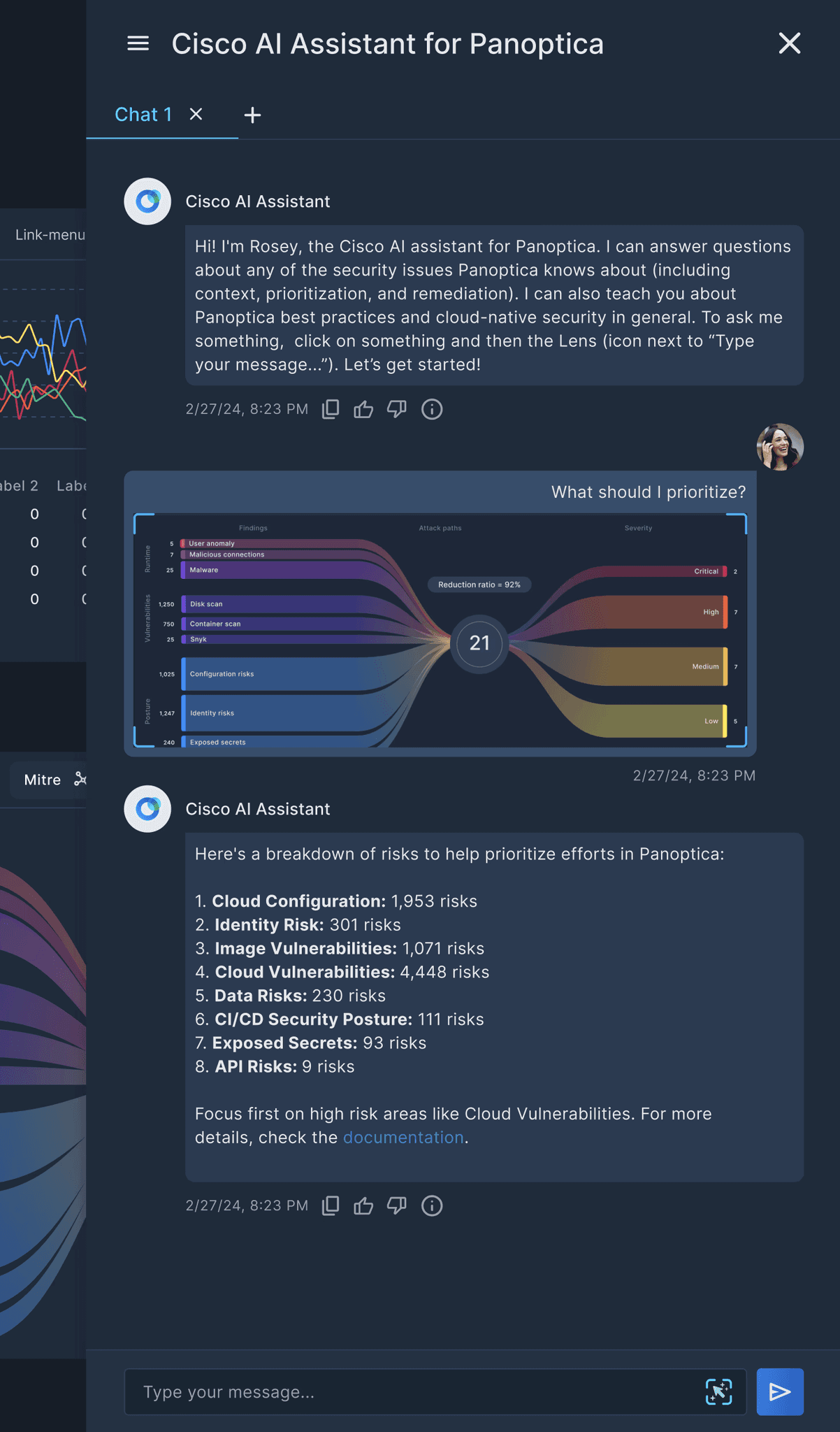
Contextual Response

The response is directly related to the visual prompt.

Want to know a little about how it works?

The HAX Framework

The design principles gave us a foundation, but teams still needed a way to apply them consistently in real products. We set out to create a system that connects those principles to the tools, components, and checks developers use every day. That effort became HAX—a unified framework for designing, building, and governing meaningful human agent collaboration.

HAX
Principles:

Design for collaboration

Five research based, human-centered rules: Clarity, Control, Recovery, Collaboration, and Traceability that define trustworthy agent behavior.

HAX
SDK:

Build with
consistency

Toolkit that turns those principles into schemas, components, and checks so agents act and explain predictably.

Custom Repositories:

Reusable Explainability:

Behavior layer that travels with the agent. The same evidence, reasoning, and actions appear across any product or surface.

Portable Explainability:

Consistency Everywhere:

Behavior layer that travels with the agent. The same evidence, reasoning, and actions appear across any product or surface.

The HAX Framework

The design principles gave us a foundation, but teams still needed a way to apply them consistently in real products. We set out to create a system that connects those principles to the tools, components, and checks developers use every day. That effort became HAX—a unified framework for designing, building, and governing meaningful human agent collaboration.

The design principles gave us a foundation, but teams still needed a way to apply them consistently in real products. We set out to create a system that connects those principles to the tools, components, and checks developers use every day. That effort became HAX—a unified framework for designing, building, and governing meaningful human agent collaboration.

HAX
Principles:

Design for collaboration

Five research based, human-centered rules: Clarity, Control, Recovery, Collaboration, and Traceability that define trustworthy agent behavior.

HAX
SDK:

Build with
consistency

Toolkit that turns those principles into schemas, components, and checks so agents act and explain predictably.

Custom Repositories:

Reusable Explainability:

Behavior layer that travels with the agent. The same evidence, reasoning, and actions appear across any product or surface.

Portable Explainability:

Consistency Everywhere:

Behavior layer that travels with the agent. The same evidence, reasoning, and actions appear across any product or surface.

process

Discovery and Hypothesis:

Collaborated across teams to understand unique business reasons, user landscapes, and industry challenges. Defined the hypothesis to test.

Prototyping:

Created varying fidelity prototypes to test the hypothesis with users, illustrating the intended narrative.

Validation:

Conducted user interviews and collected feedback continuously to refine the hypothesis and the prototype.

User Story Mapping:

Used workshops to incorporate user feedback and validate the story map with engineering teams, guiding development priorities.

Implementation and Testing:

Integrated prototypes into the real environment, gathering immediate feedback and iterating rapidly.

Final Release:

Launched the feature based on rigorous testing and validation to ensure it met the user's needs and the business objectives.
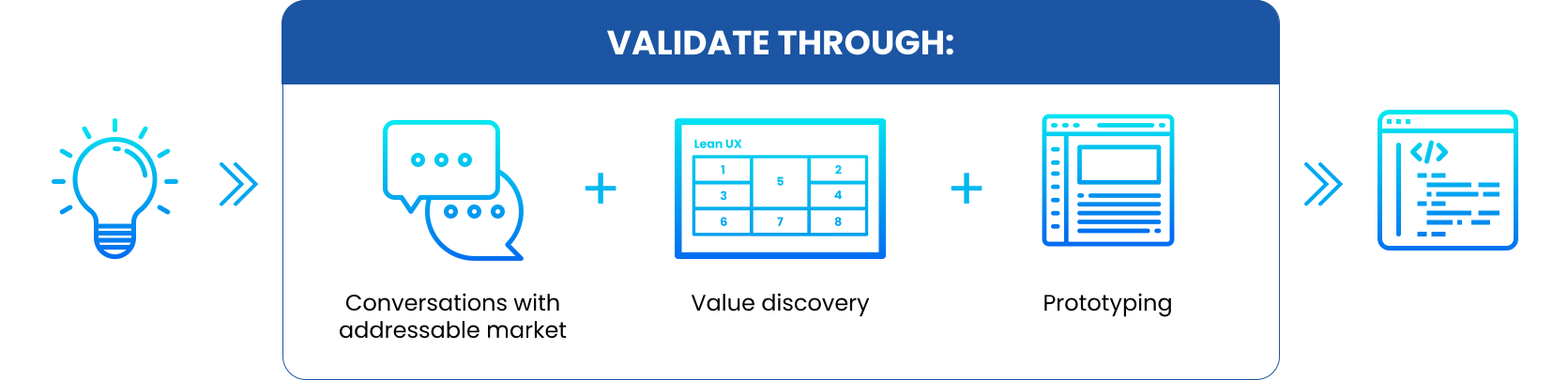
We initiated a design discovery process which enabled a systematic exploration and validation of ideas, ensuring each phase, from discovery to release, was grounded in evidence and iterative improvement.